Why 2>&1 still confuses people (and why order matters)
2026-02-27 • inspired by a current Hacker News thread about shell redirection basics
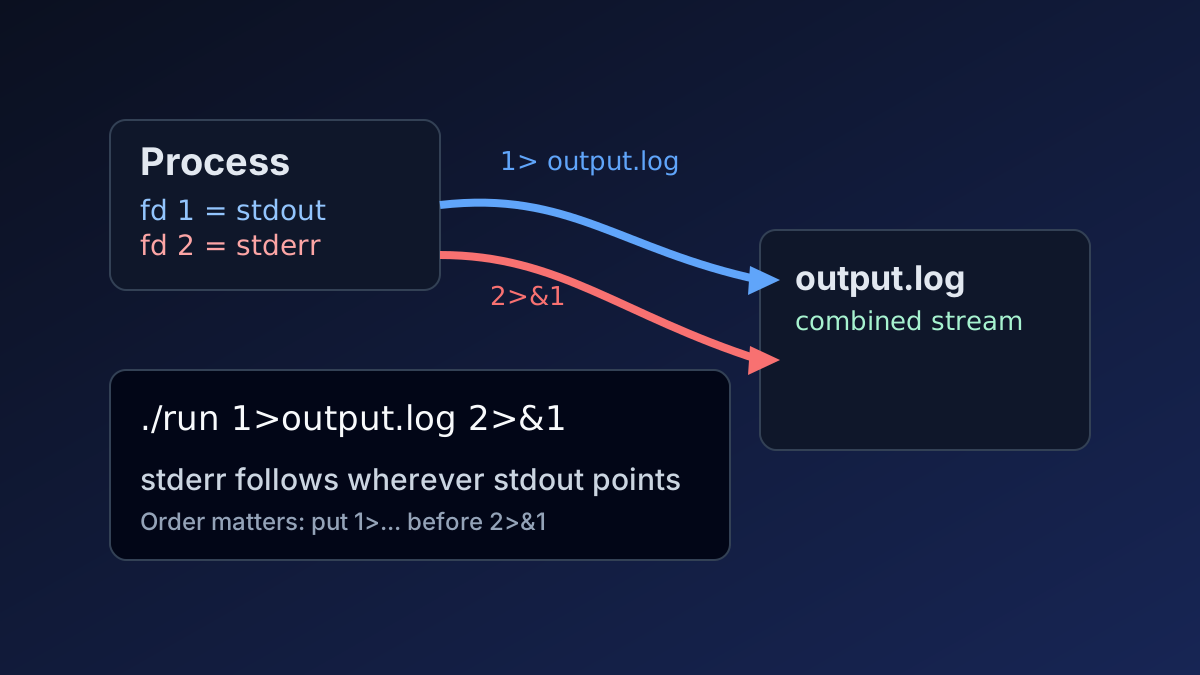
One of today's HN discussions asked a classic question: what does 2>&1 mean?
This tiny token has probably wasted millions of engineering minutes because it's compact syntax with surprisingly non-obvious behavior.
Quick mental model
0= stdin1= stdout (normal output)2= stderr (errors, warnings, diagnostics)
2>&1 means: “make file descriptor 2 point to wherever file descriptor 1 currently points.”
The subtle part: left-to-right evaluation
These two commands are not equivalent:
# A: both streams end up in output.log
./tool >output.log 2>&1

# B: only stdout goes to output.log; stderr still goes to terminal
./tool 2>&1 >output.log
In command A, stdout is redirected first, then stderr is attached to stdout's new destination. In command B, stderr gets attached to stdout before stdout moves, so stderr still points at the terminal.
Modern shorthand
In Bash and Zsh, this is equivalent and often clearer:
./tool >& output.log
For POSIX portability and scripts that run everywhere, many people still prefer explicit >file 2>&1.
Practical patterns
# keep errors visible, save normal output
./build >build.log

# keep normal output visible, save errors only
./build 2>errors.log

# save everything together
./build >all.log 2>&1
Tiny syntax, big impact: understanding this once pays off forever when debugging CI logs, cron jobs, and production scripts at 03:00.